让家里的每一面墙,都成为通往回忆的窗口Turn every wall at home into a window back to your memories
LuminaWall 装在投影仪和电视盒子里。闲下来的时候,它把你的照片和视频轮播在墙上;睡前,它放一段雨声,慢慢暗下去。LuminaWall lives inside your projector or TV box. When the screen is idle it plays your photos and videos on the wall. At bedtime it plays rain and slowly goes dark.
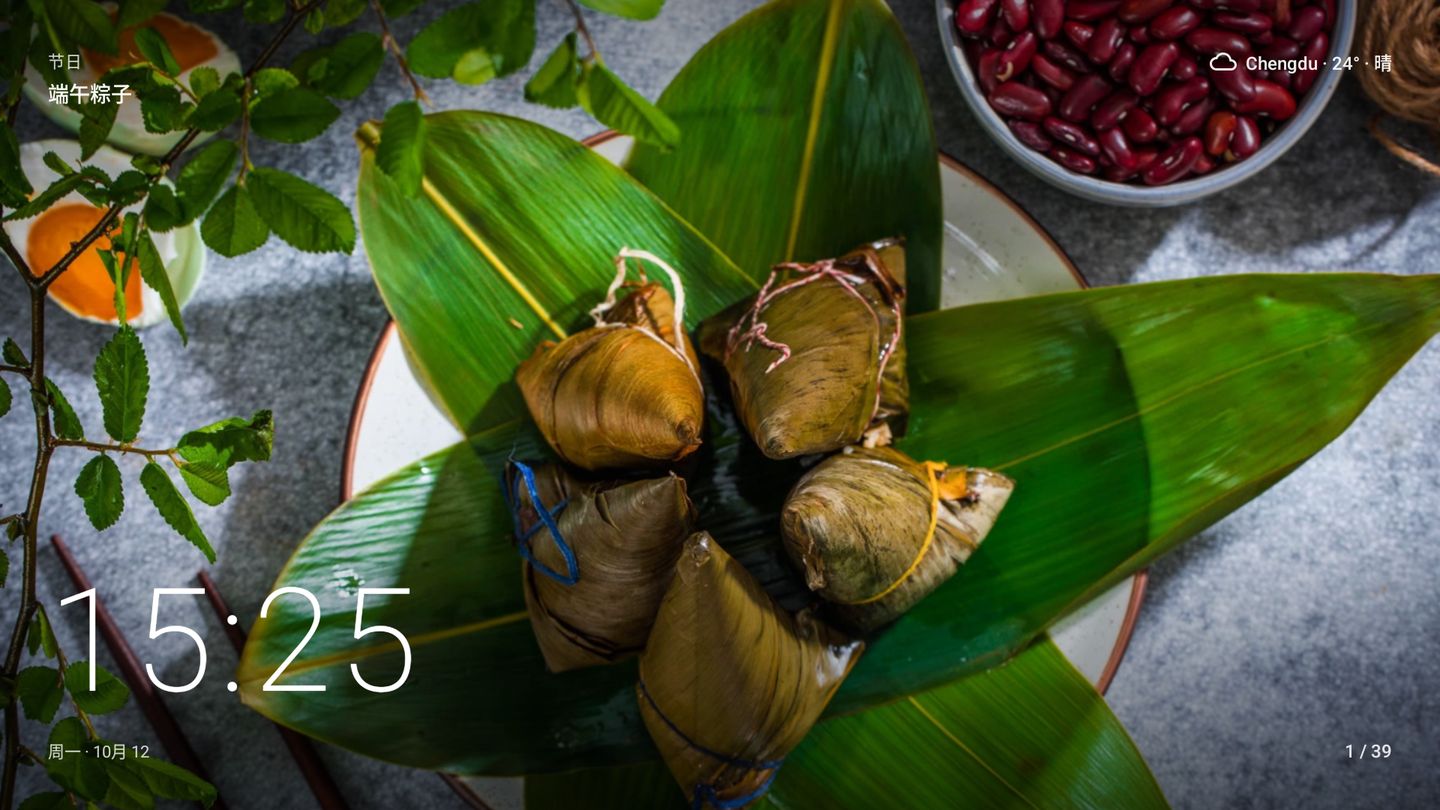
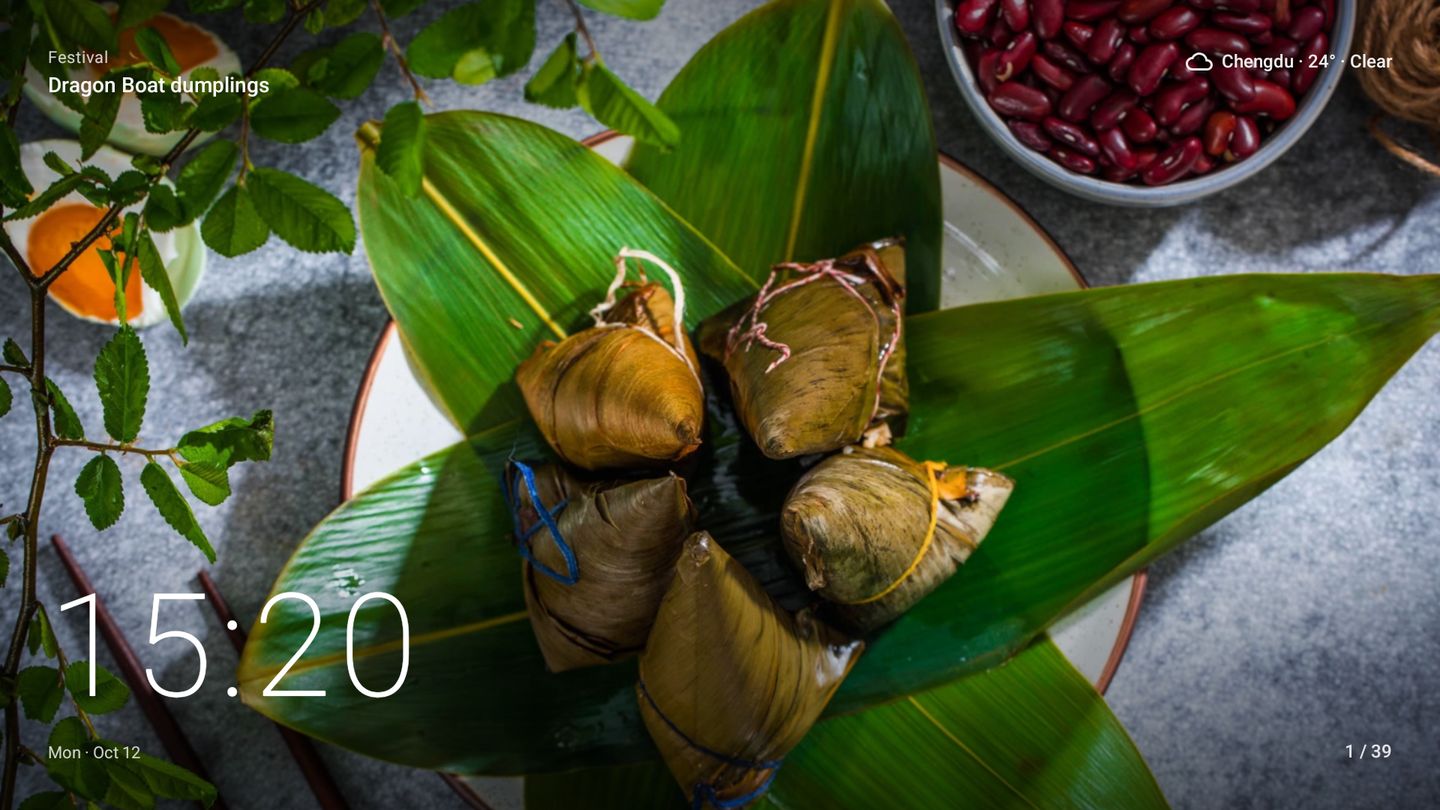

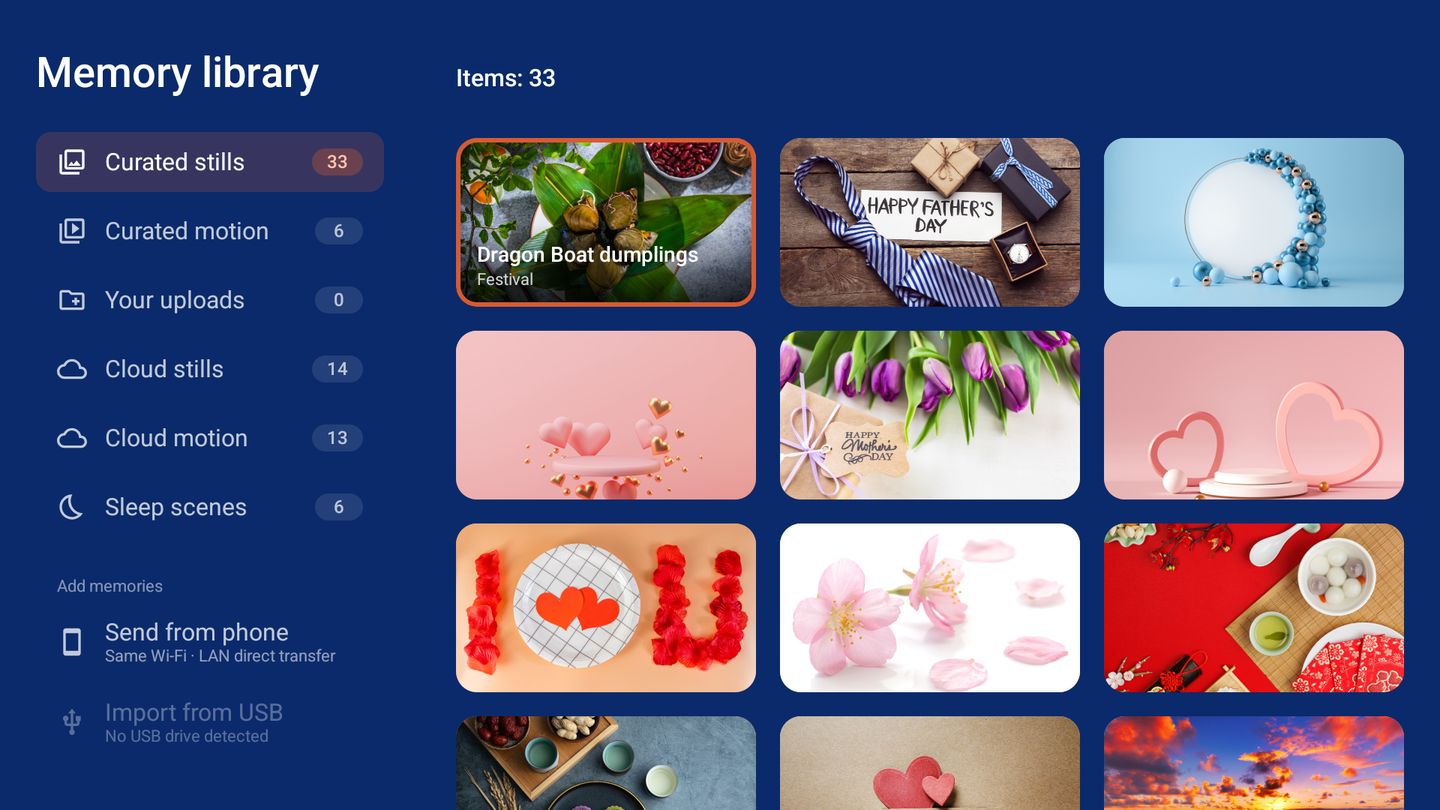
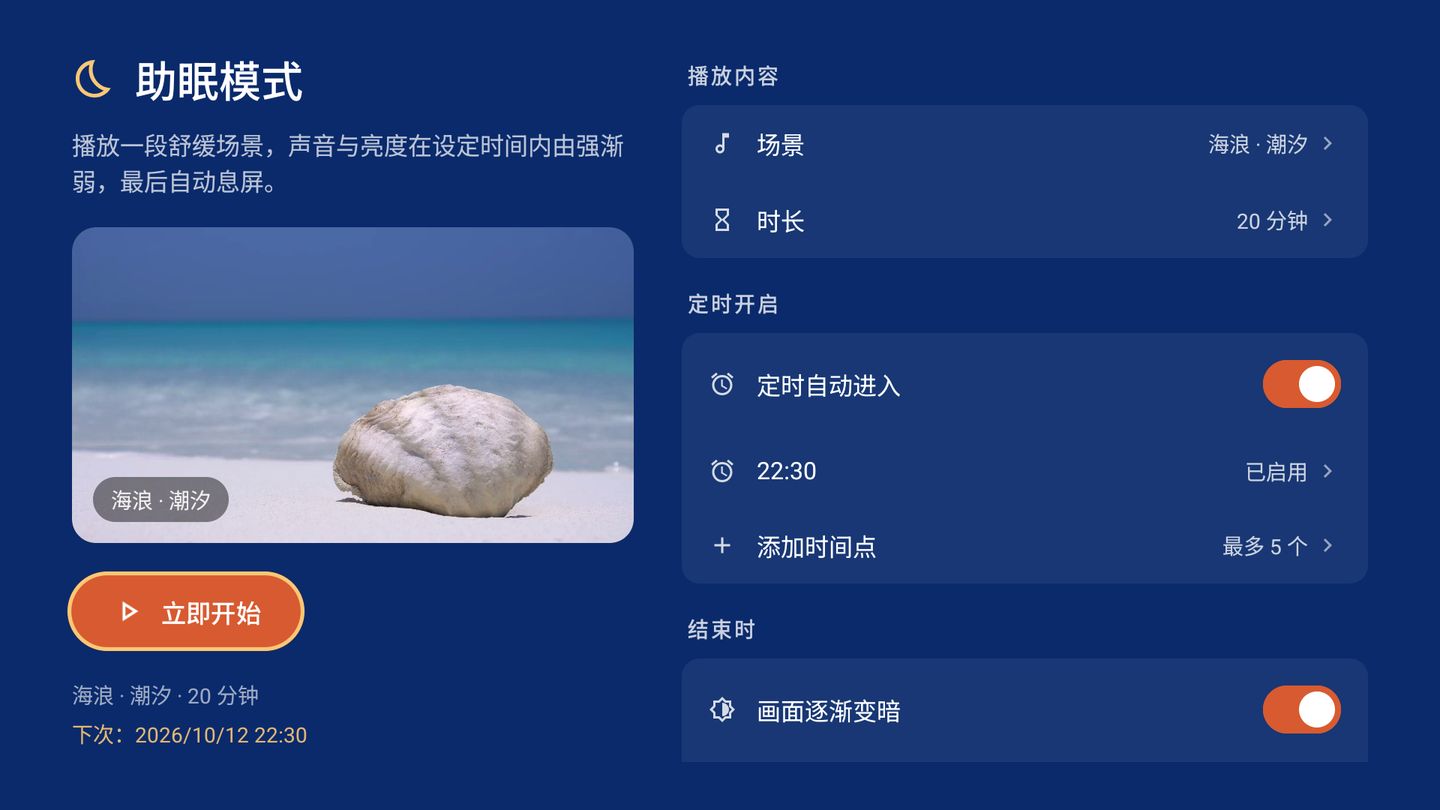
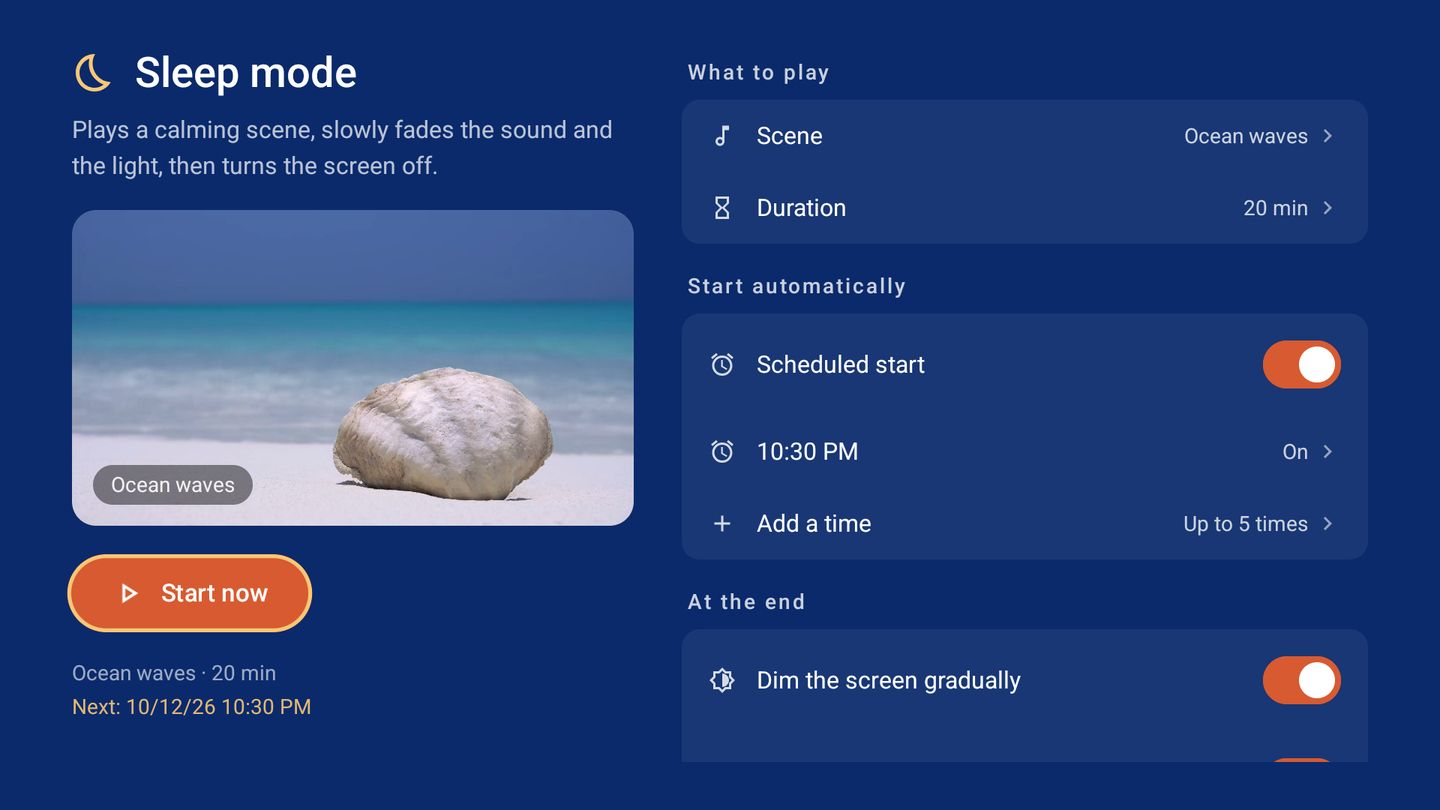

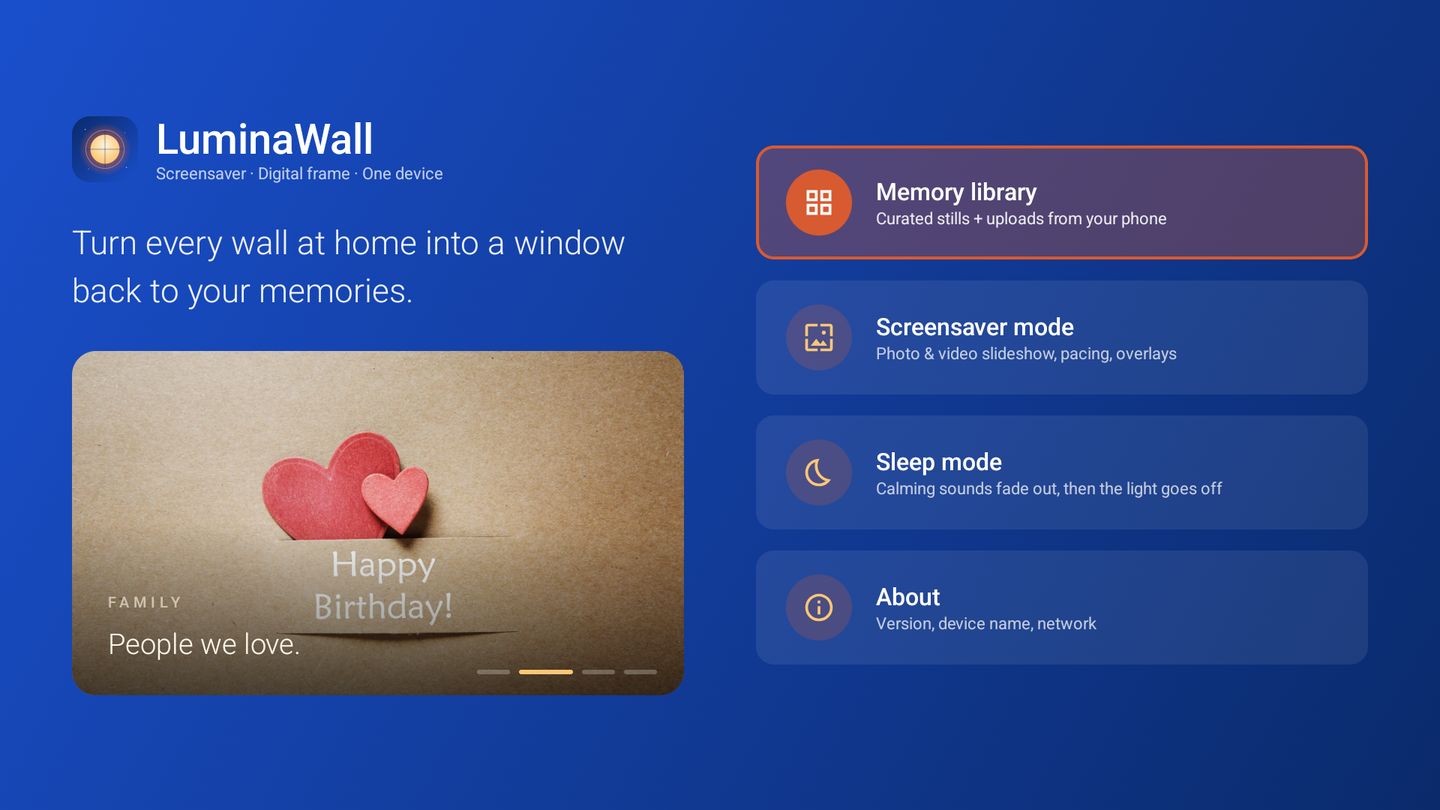
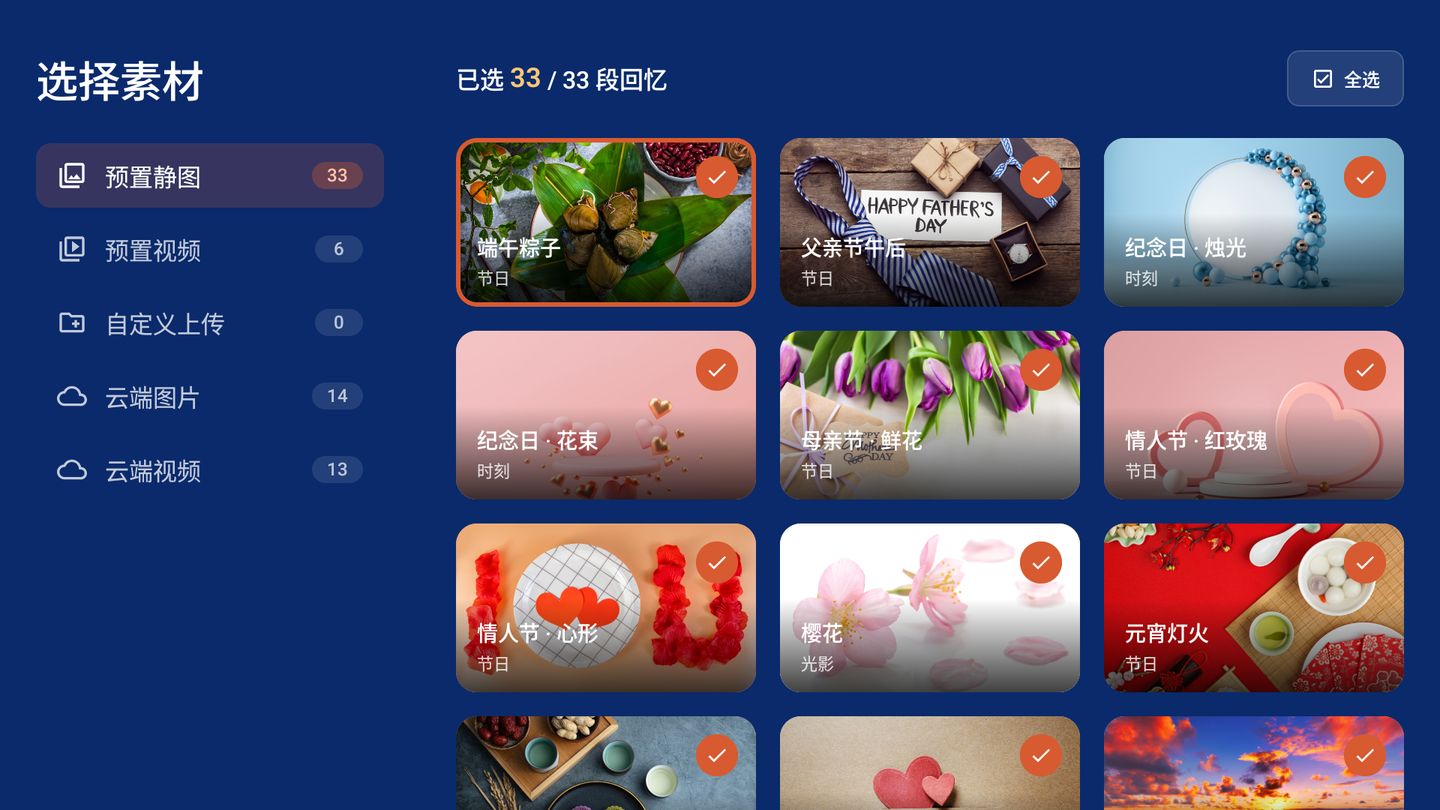
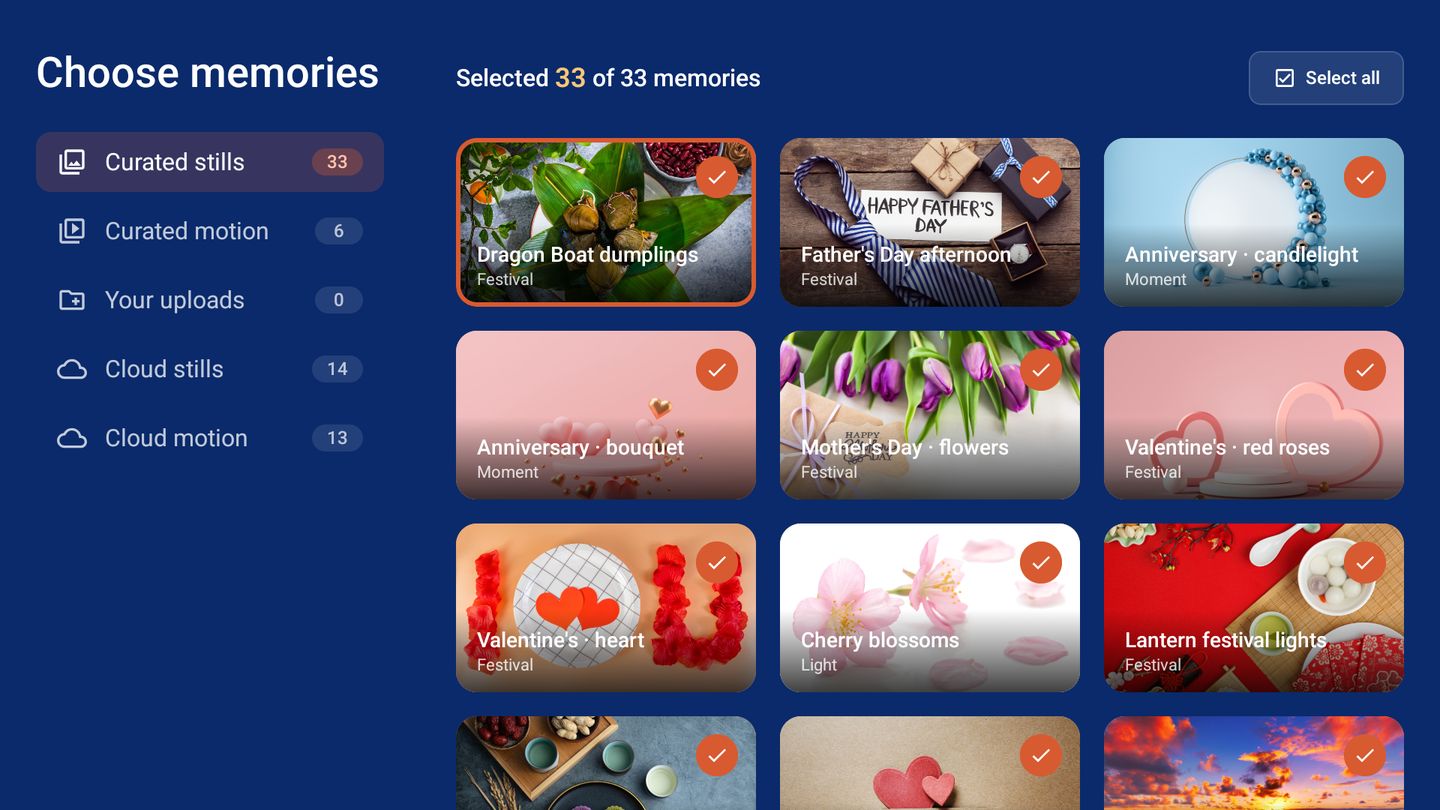
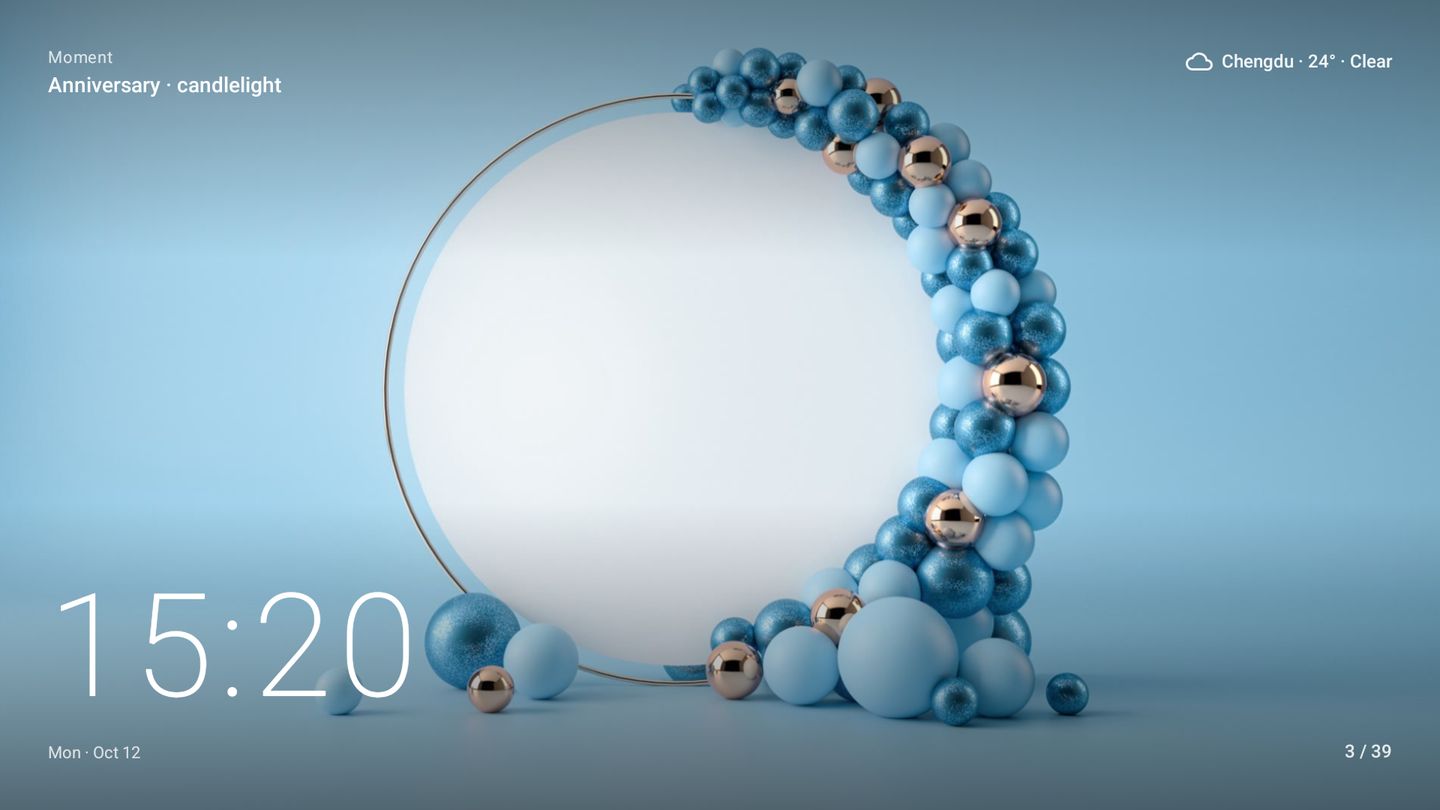
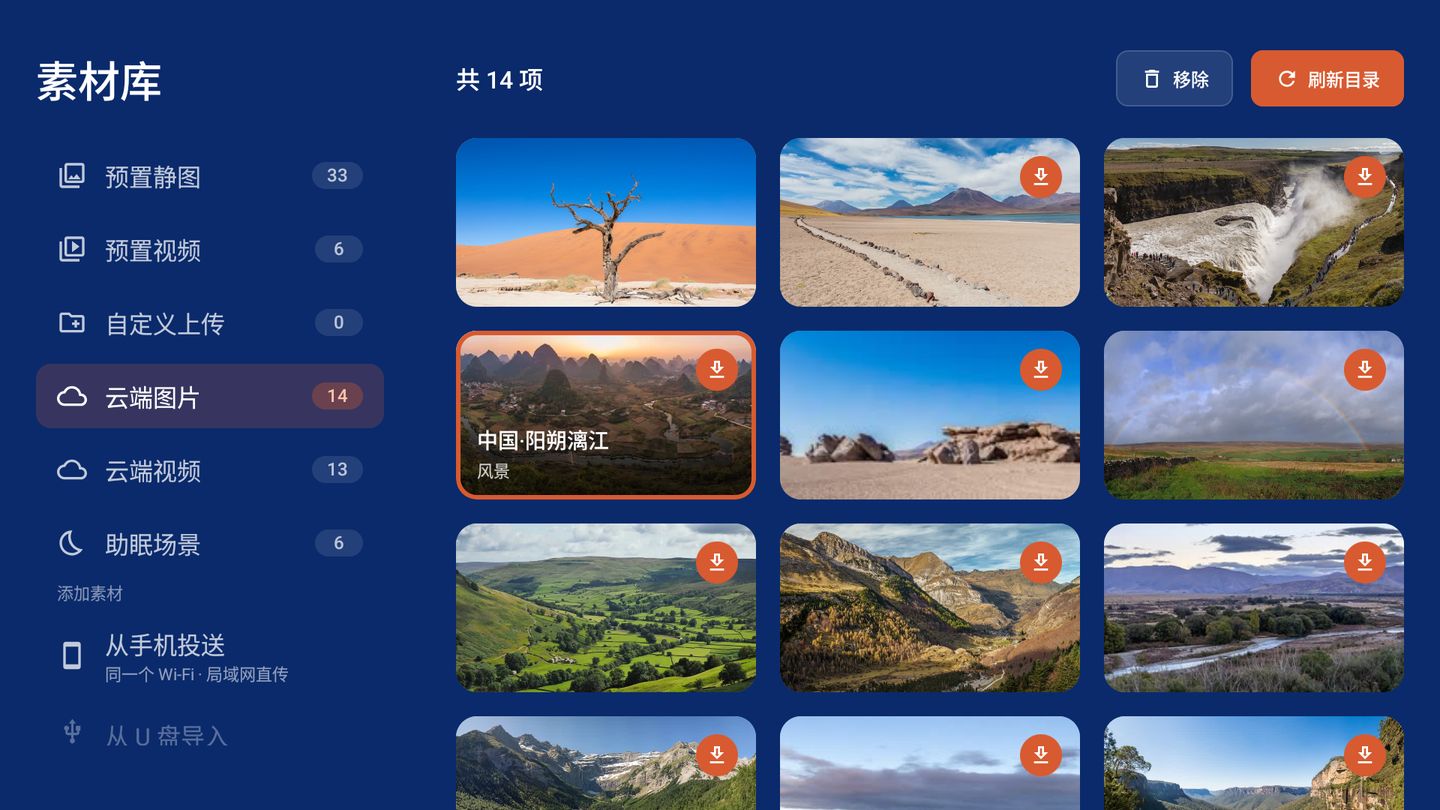
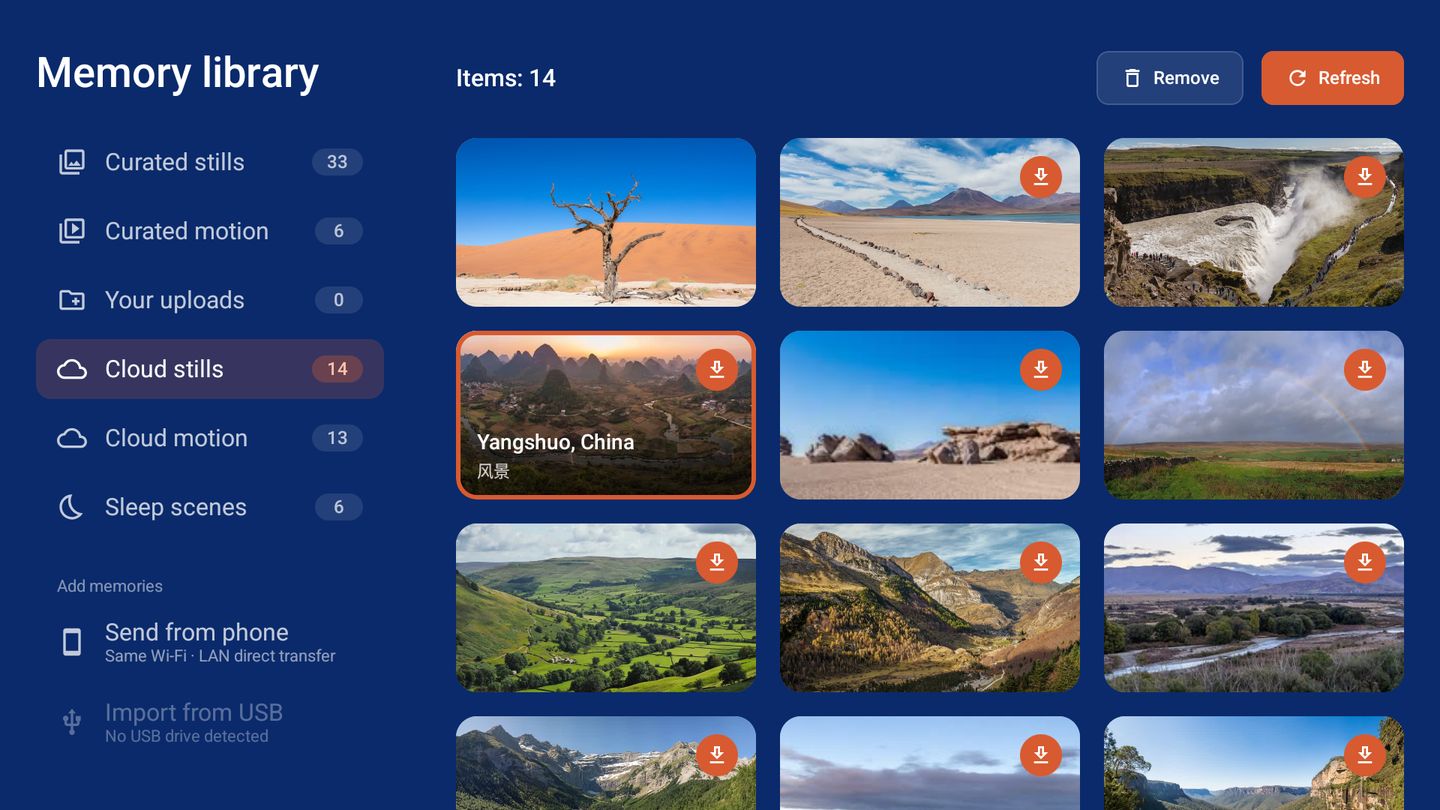
墙上正在放的样子:照片铺满,四个角是素材名、天气、时钟和进度。What the wall shows: a full-bleed photo, with the title, weather, clock and progress in the corners. 所有内容都在素材库:33 张精选图片、6 段精选视频、你上传的、云端的、助眠场景。Everything lives in the library: 33 curated stills, 6 curated clips, your uploads, cloud picks and sleep scenes. 选一段场景和时长,可以每天定时自动开始。Pick a scene and a duration. It can start by itself every night. 打开就是这四个入口,全程只用遥控器的方向键和确认键。Four entries on the home screen. The whole app works with the arrow keys and OK on your remote.
扫个码,手机里的照片几秒钟就在墙上Scan a code and your photos are on the wall in seconds
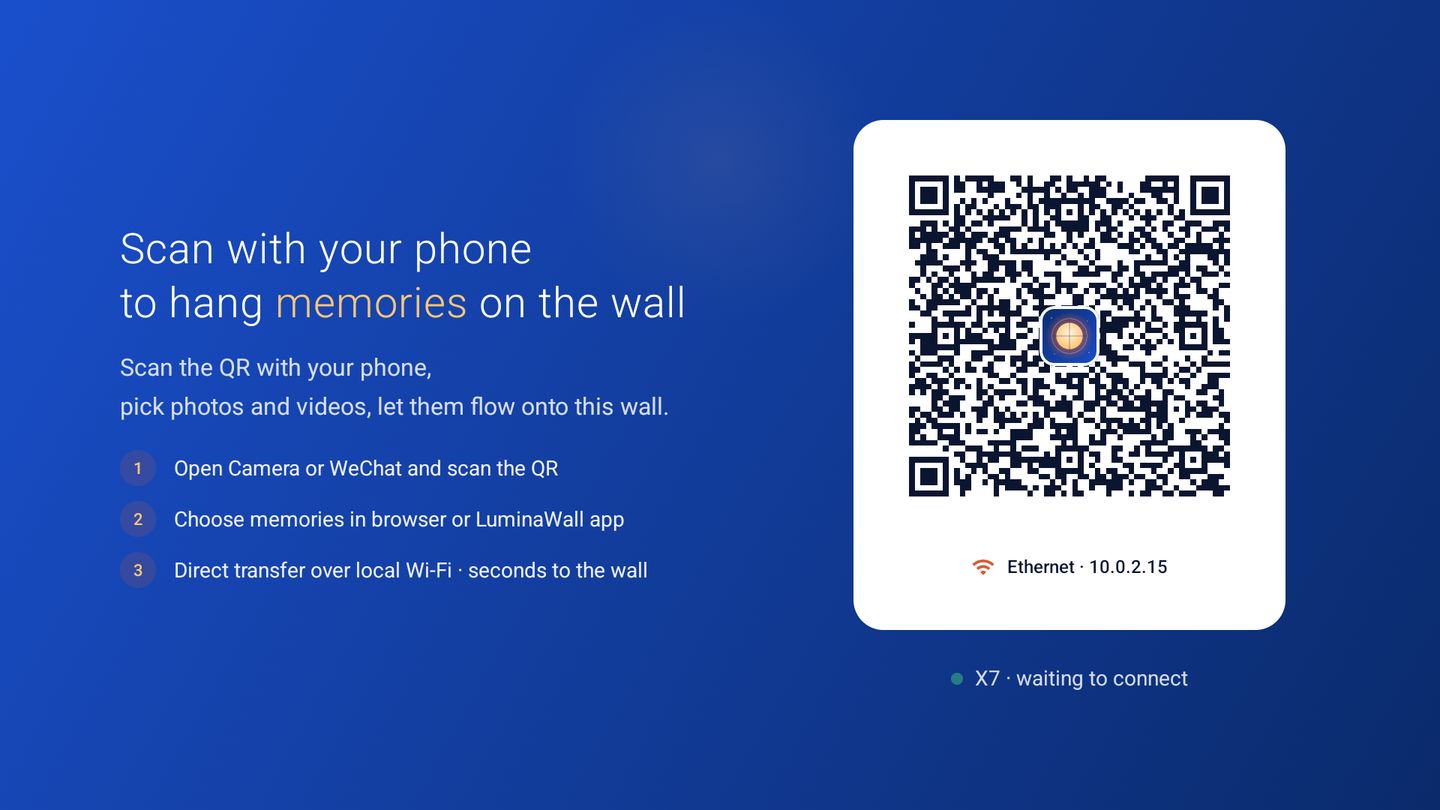
不用装 App,不经过任何服务器。手机和投影在同一个 Wi-Fi 下直接传。No app to install and no server in between. Your phone and the projector talk directly over the same Wi-Fi.
扫码投送Scan and send
用相机或微信扫墙上的二维码,在打开的网页里选照片和视频,点发送。Scan the QR on the wall with your camera, pick photos and videos in the page that opens, and tap send.
插上就能导入Plug in and import
自动列出盘里有照片视频的文件夹,勾选后导入。重复的文件会跳过,空间不够会提前告诉你。It lists the folders that hold photos and videos. Tick what you want and import. Duplicates are skipped and you are warned before space runs out.
精选素材按需下载Download curated picks
云端有持续更新的风景图片和短片,看中哪张点一下就下载到本机。A growing set of landscape stills and short clips. Tap one to download it to the device.

没人操作的时候,墙上是你的相册When nobody is watching TV, the wall is your album
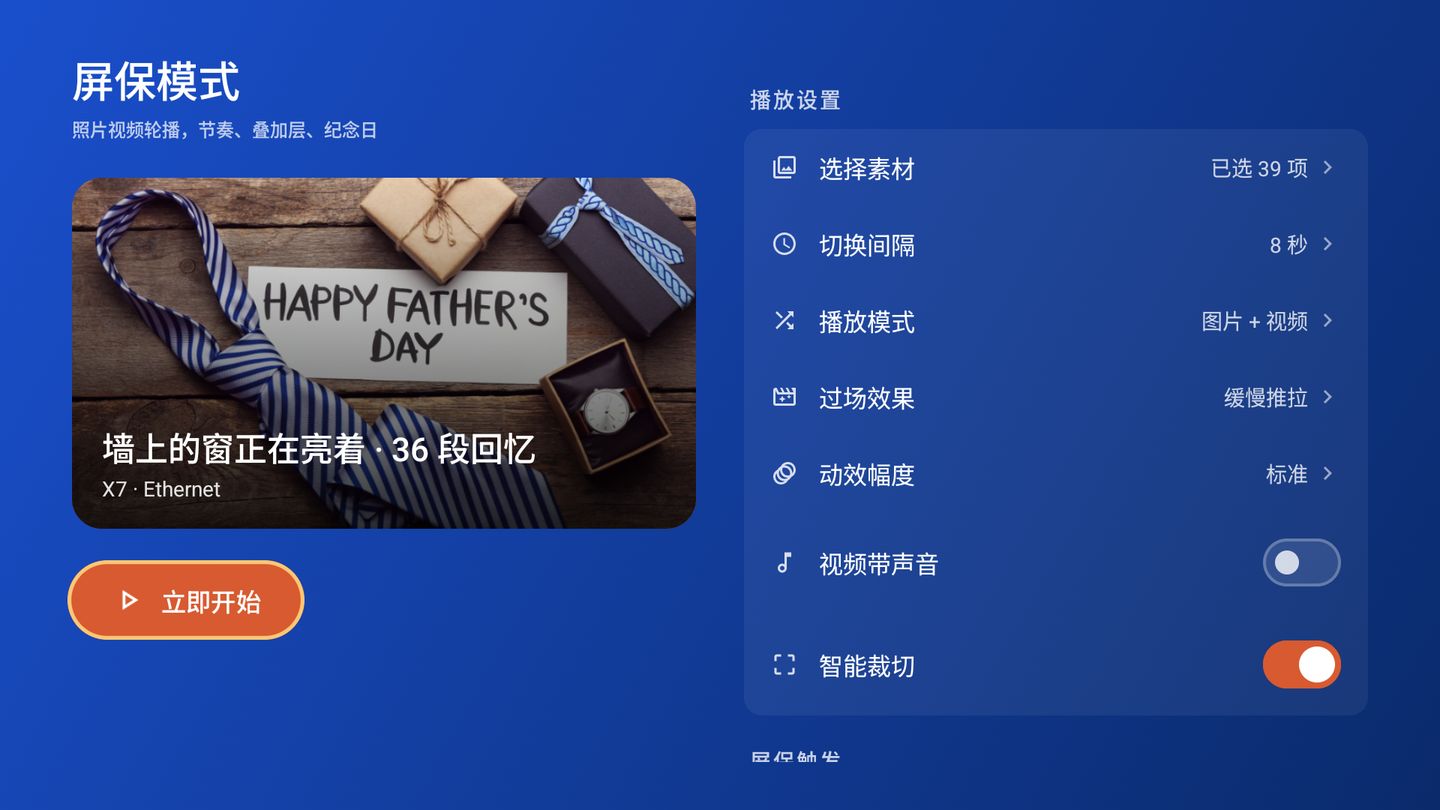
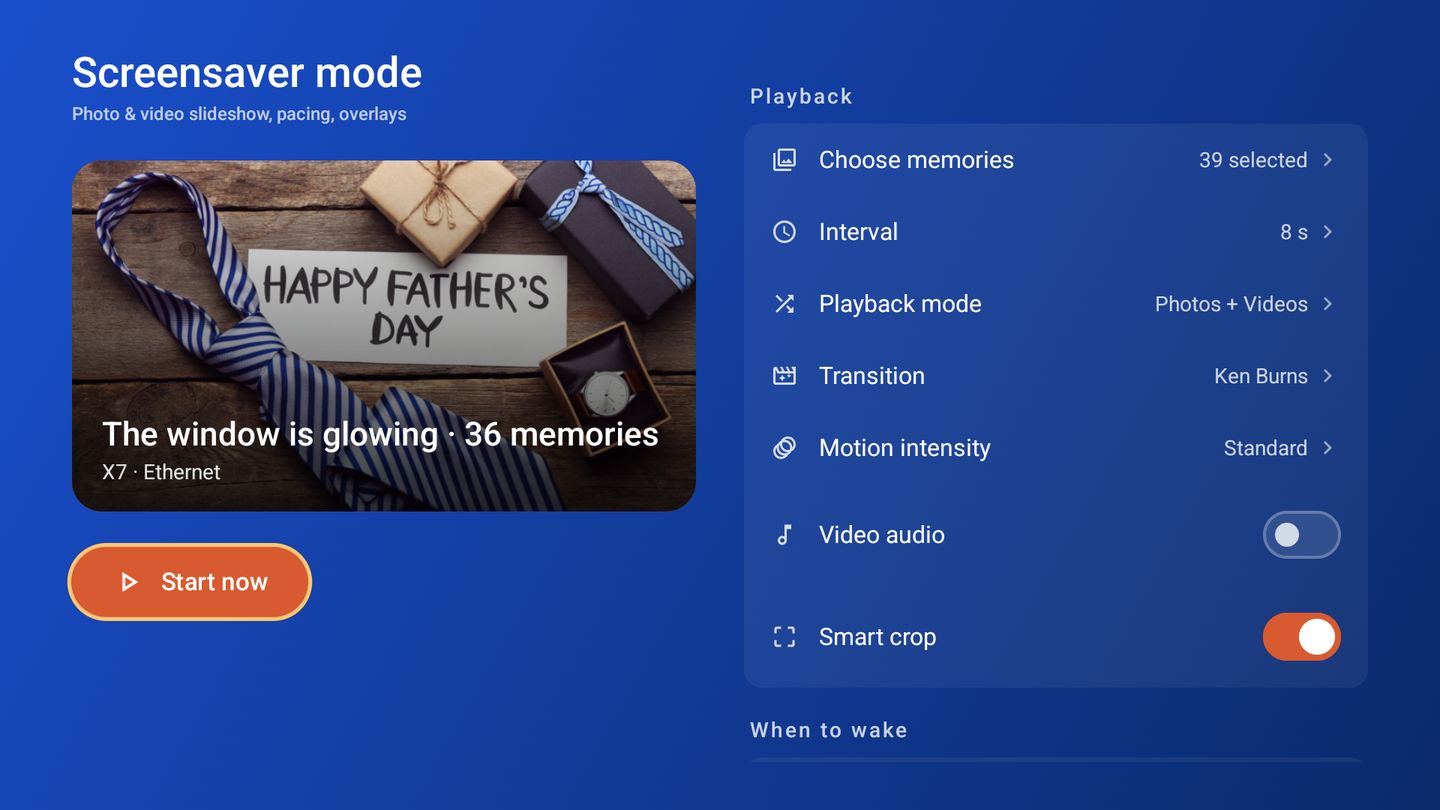
空闲几分钟后自动开始,也可以随时按「立即开始」当数码相框用。It starts after a few idle minutes, or press Start now and use it as a digital frame.
- 节奏PACING每张停留 1–600 秒;只播照片、只播视频或混播。Each slide stays 1–600 seconds. Photos only, videos only, or both.
- 转场MOTION5 种转场:淡入淡出、缓慢推拉、滑动、缩放、电影感;运动幅度三档可调。5 transitions: fade, Ken Burns, slide, zoom and cinematic, with three motion strengths.
- 裁切CROP智能裁切会找到人脸和主体,铺满屏幕时不把人切掉。Smart crop finds faces and subjects so nobody gets cut off when a photo fills the screen.
- 叠加层OVERLAY大字时钟、当地天气、一句家庭留言,各自可开关。A large clock, local weather and a family note. Each can be turned off.
- 纪念日DATES记下生日和纪念日,当天画面上会出现祝福,晚了 3 天内还会补上。主要节日内置,不用自己加。Save birthdays and anniversaries. A greeting appears on the day, and up to 3 days late. Major festivals are built in.

声音慢慢变小,画面慢慢变暗The sound fades and the picture dims
放一段舒缓的场景。音量从一开始就往下走,画面在前五分之一保持原样、之后逐渐变暗,到时间一起归零,然后息屏。It plays a calm scene. Volume starts falling right away. The picture holds for the first fifth, then dims. Both reach zero at the end and the screen turns off.
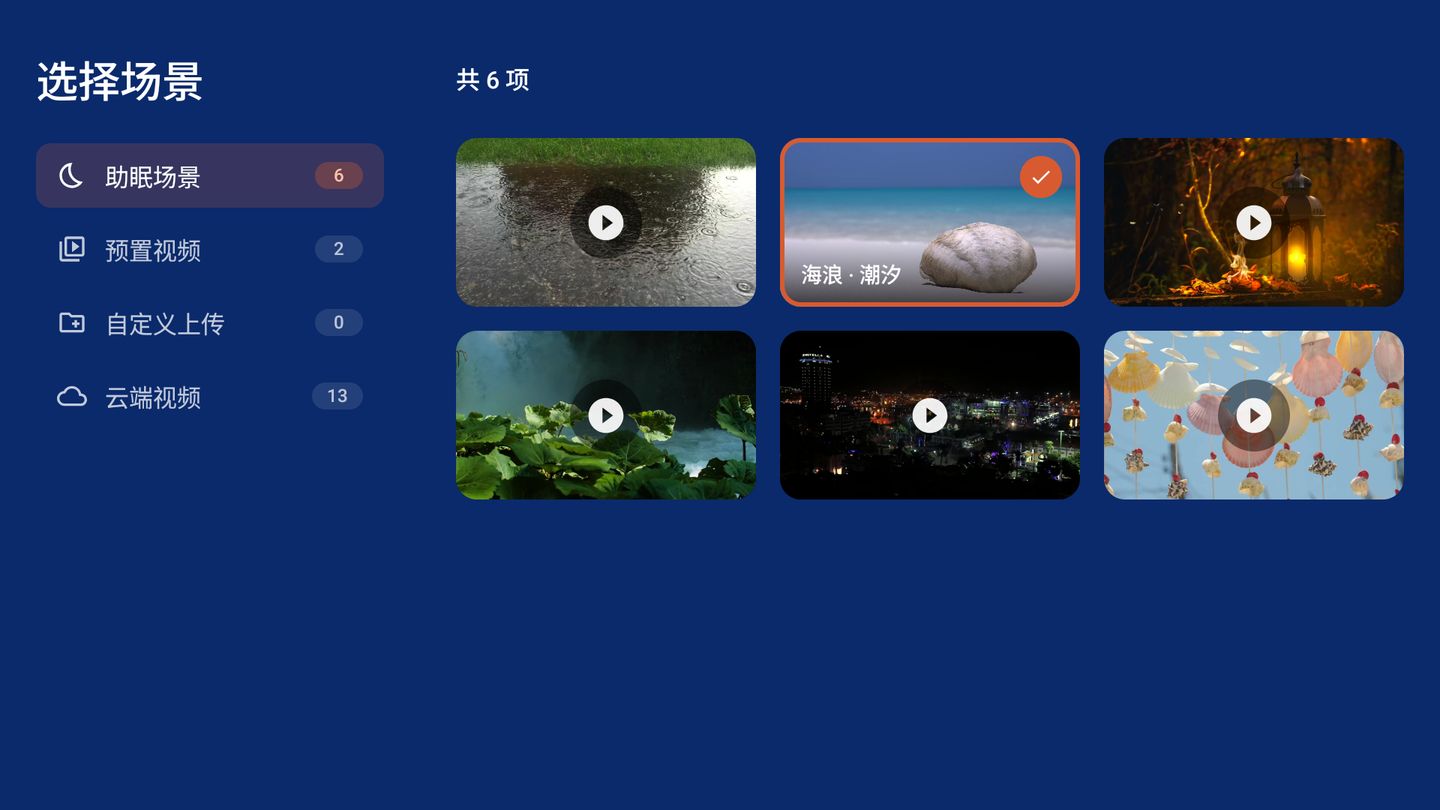
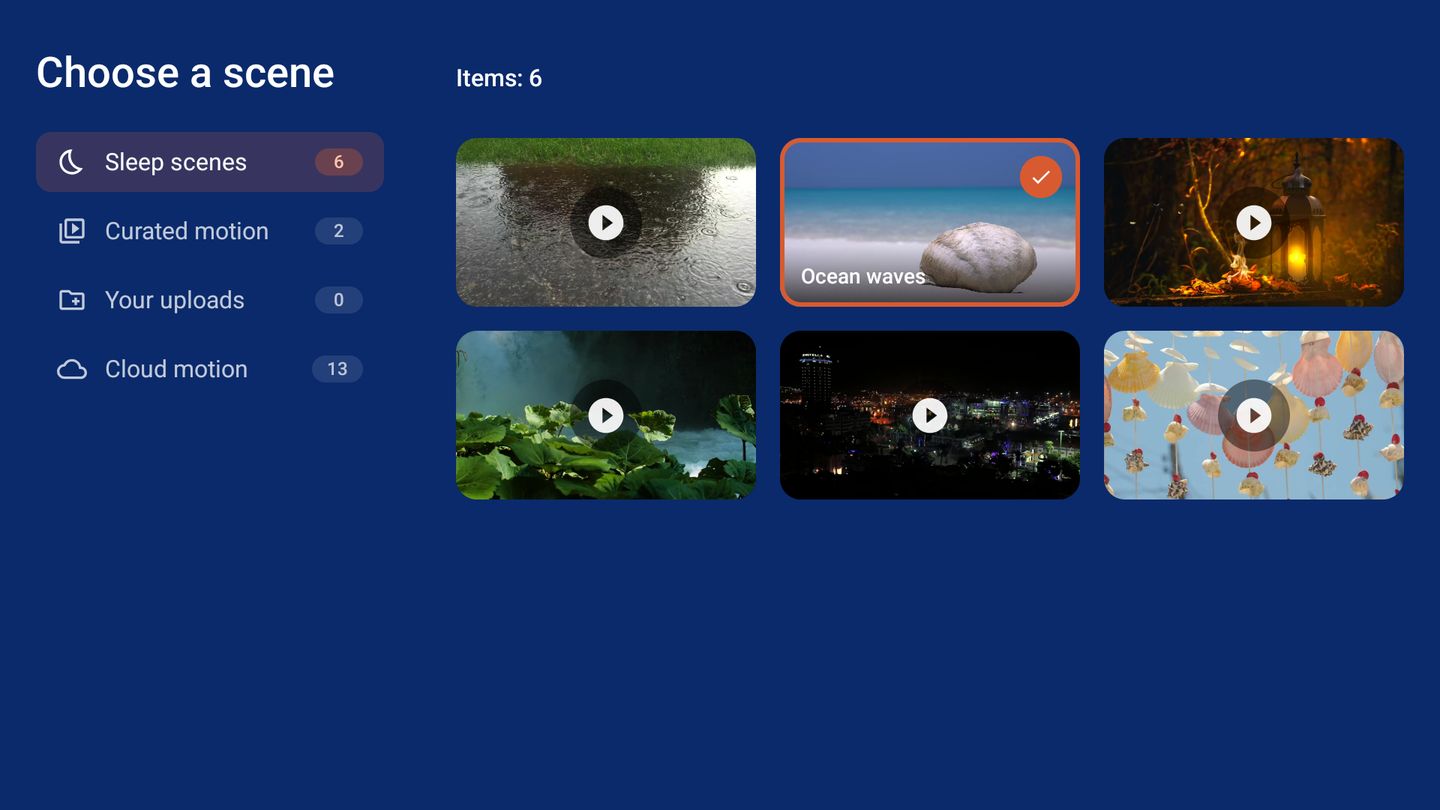
- 场景SCENES内置 6 段:雨声、海浪、篝火、森林溪流、城市夜景、风铃。素材库里的任何视频也能选。6 built in: rain, ocean waves, fireplace, forest stream, city night and wind chimes. Any video in your library works too.
- 时长LENGTH10 到 60 分钟六档,或自定义 1–180 分钟。Six presets from 10 to 60 minutes, or any length from 1 to 180 minutes.
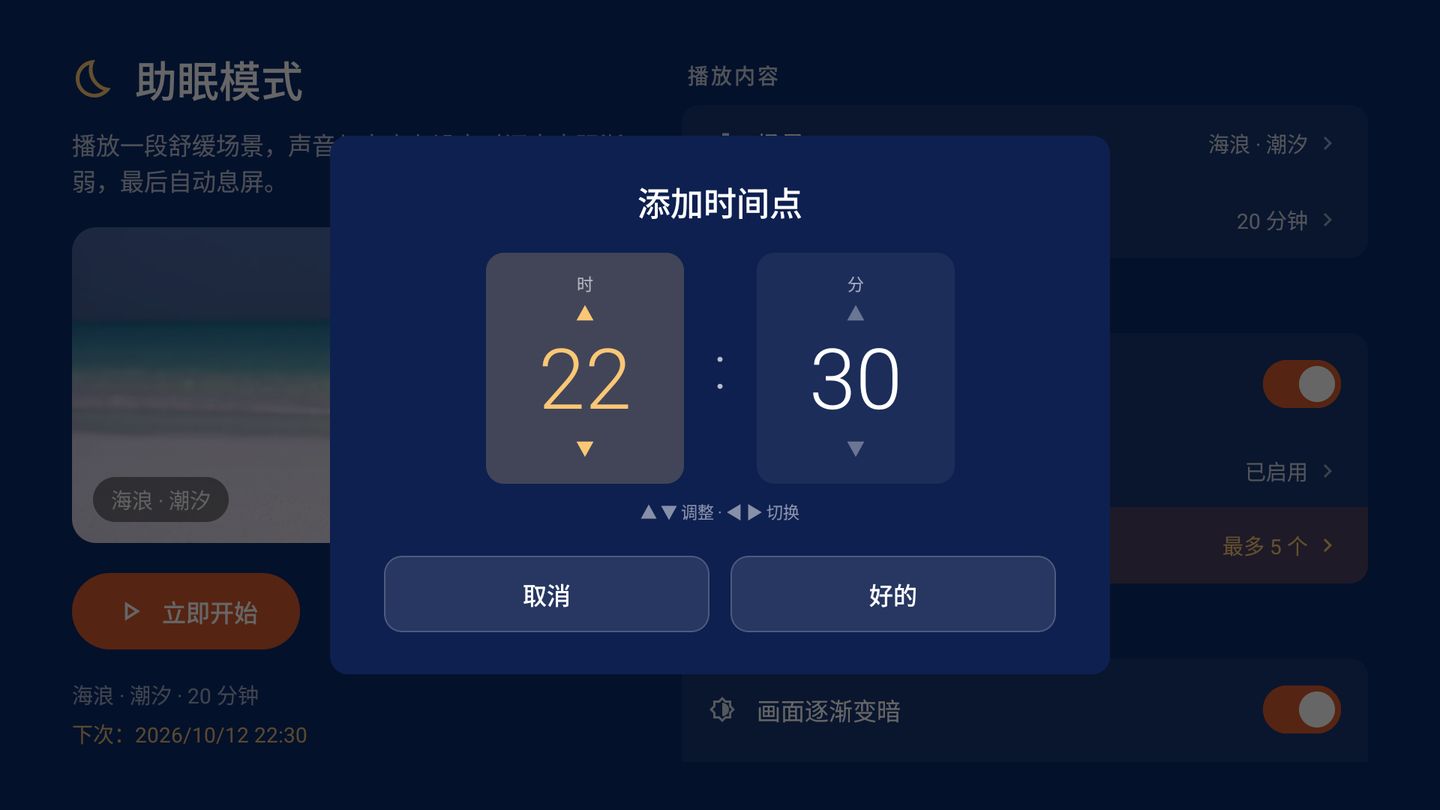
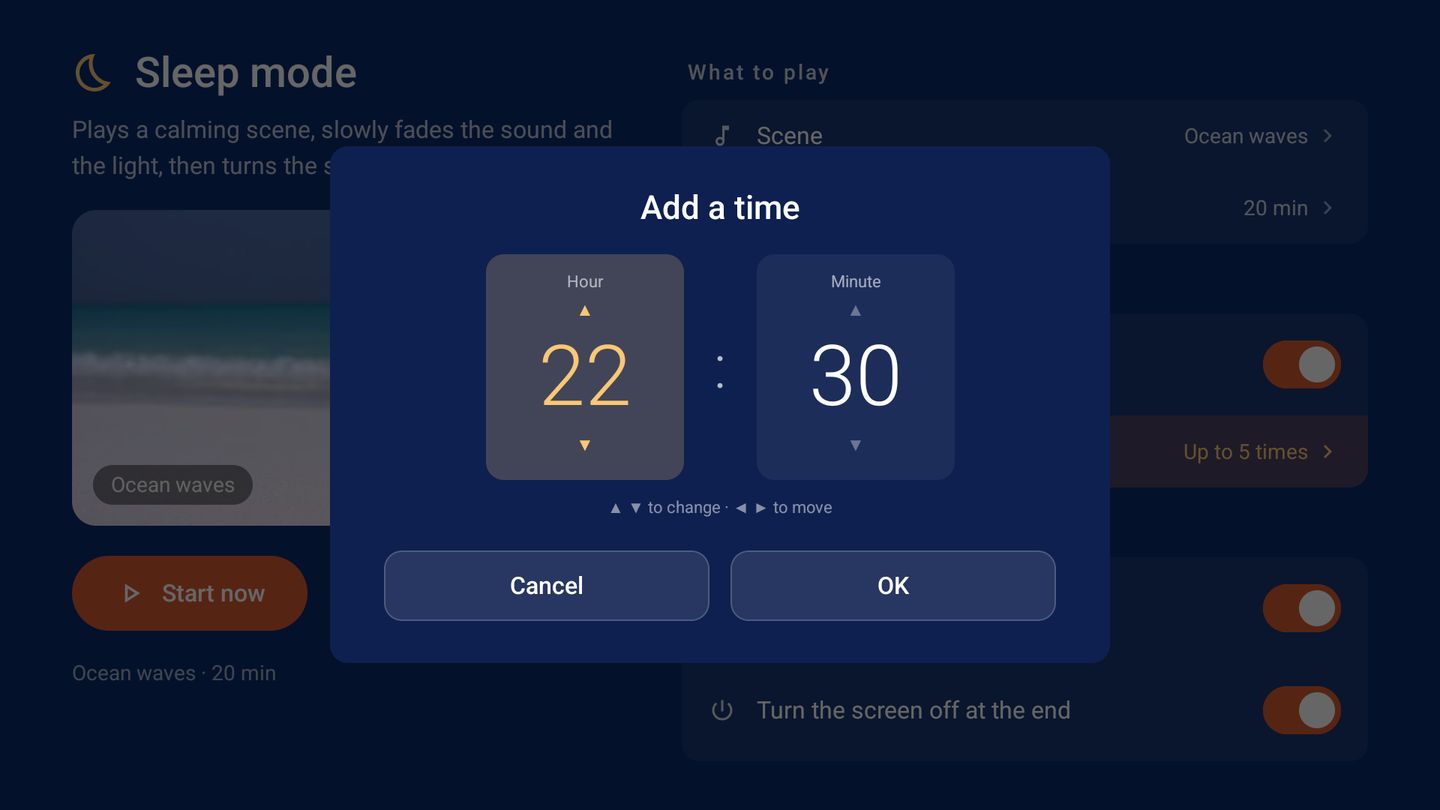
- 定时SCHEDULE每天到点自动开始,最多 5 个时间点,各自可开关。Starts by itself every day. Up to 5 times, each with its own switch.
一个素材库,两种播法One library, two ways to play it
素材库只管有什么内容。屏保放哪些、助眠放哪段,分别在两个模式里选,互不影响。The library only holds your content. What the screensaver plays and which scene sleep mode uses are chosen in each mode.
- 浏览BROWSE点任意一张全屏预览,视频带声音。Open anything full screen. Videos play with sound.
- 整理TIDY上传的和已下载的素材可以单张移除,也可以批量勾选后一起移除。Remove uploads and downloads one at a time or tick several and remove them together.
- 分类SHELVES精选图片、精选视频、你的上传、云端图片、云端视频、助眠场景。Curated stills, curated motion, your uploads, cloud stills, cloud motion and sleep scenes.
种界面语言interface languages
跟随系统语言自动切换,预置素材的名称一起翻译。Follows the system language. Built-in content names are translated too.
个按键就够keys are enough
上下左右加确认。每个页面记得你上次停在哪,数字用方向键调。Four arrows and OK. Each screen remembers where you were, and numbers are set with the arrows.
张照片离开你家photos leave your home
你的照片和视频只在局域网里传,只存在投影本机。联网只为天气、节日和云端精选。Your photos and videos travel only over your local network and stay on the device. It goes online only for weather, festivals and cloud picks.
为投影设计made for projection
深色界面,暗处不刺眼;断网时屏保和本地内容照常播放。A dark interface that is easy on the eyes at night. Offline, the screensaver and local content keep playing.
同一台投影仪上的另外两位Two more that live on the same projector
LuminaHome
投影仪的桌面。所有流媒体一屏呈现,一键直达播放。The home screen for your projector. Every streaming service on one screen, one click from play.
luminahome.app →Lumina Go
手机遥控 App。遥控器、键盘、触控板、空鼠、语音,iOS 与 Android 免费。The phone remote app. Remote, keyboard, trackpad, air mouse and voice, free on iOS and Android.
luminago.app →